 sikka.Open the app ↗
Renter walkthrough
Follow a Dubai Marina brief from first search to portal handoff. Select a screen to see it at full size.
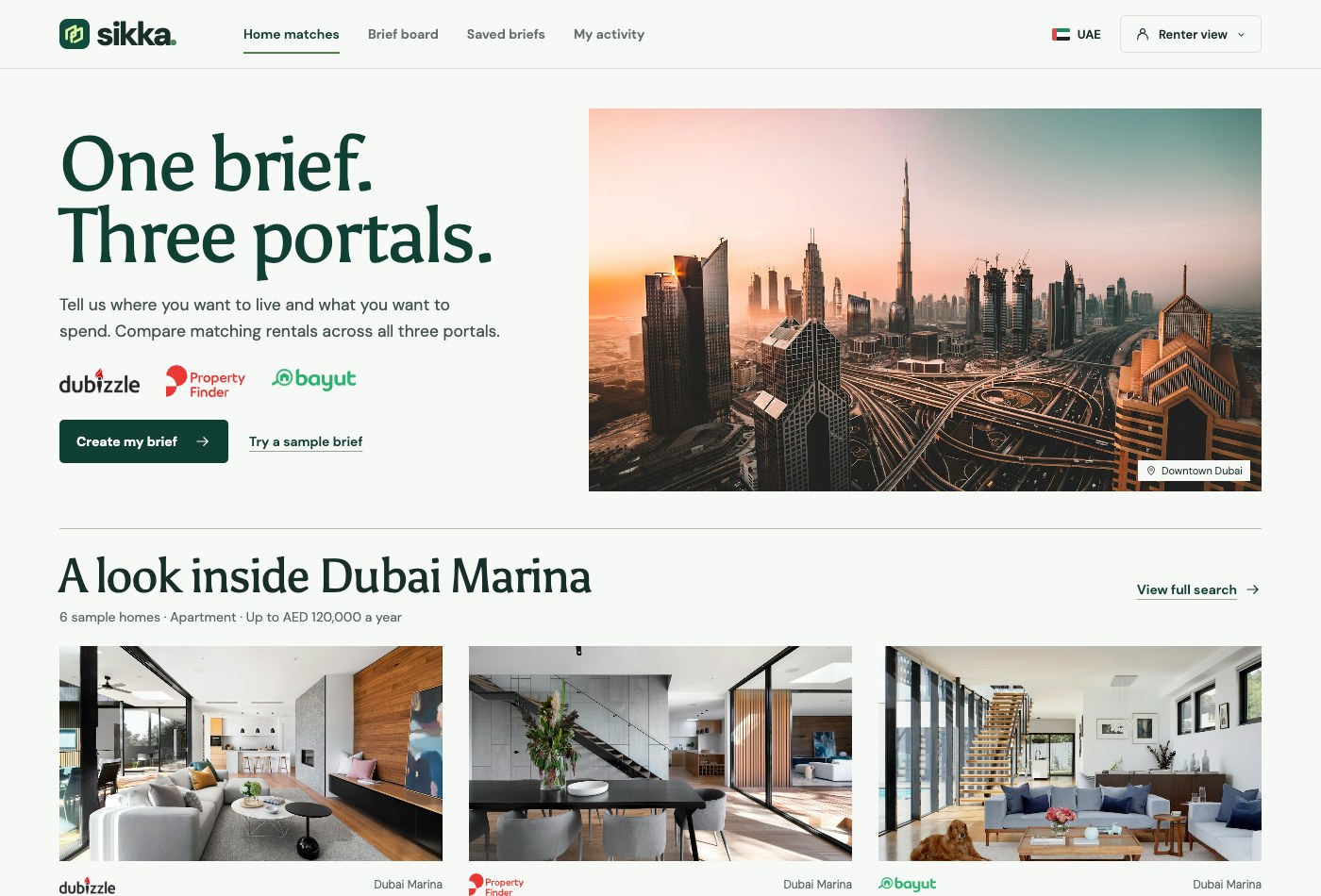
01Start a search
Create a brief or open the Dubai Marina example.
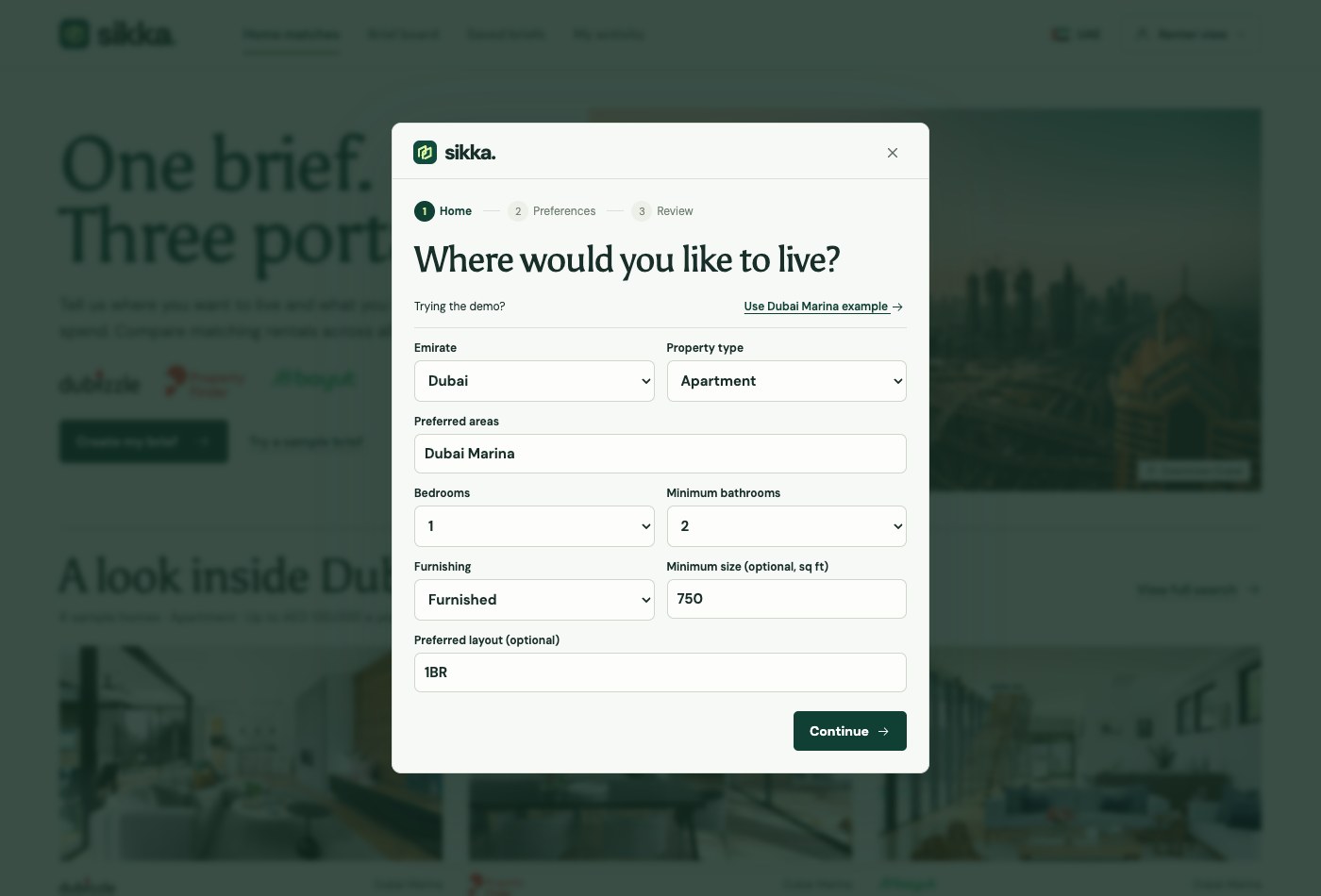
02Choose your home
Set the area, home type, bedrooms, bathrooms, furnishing and layout.
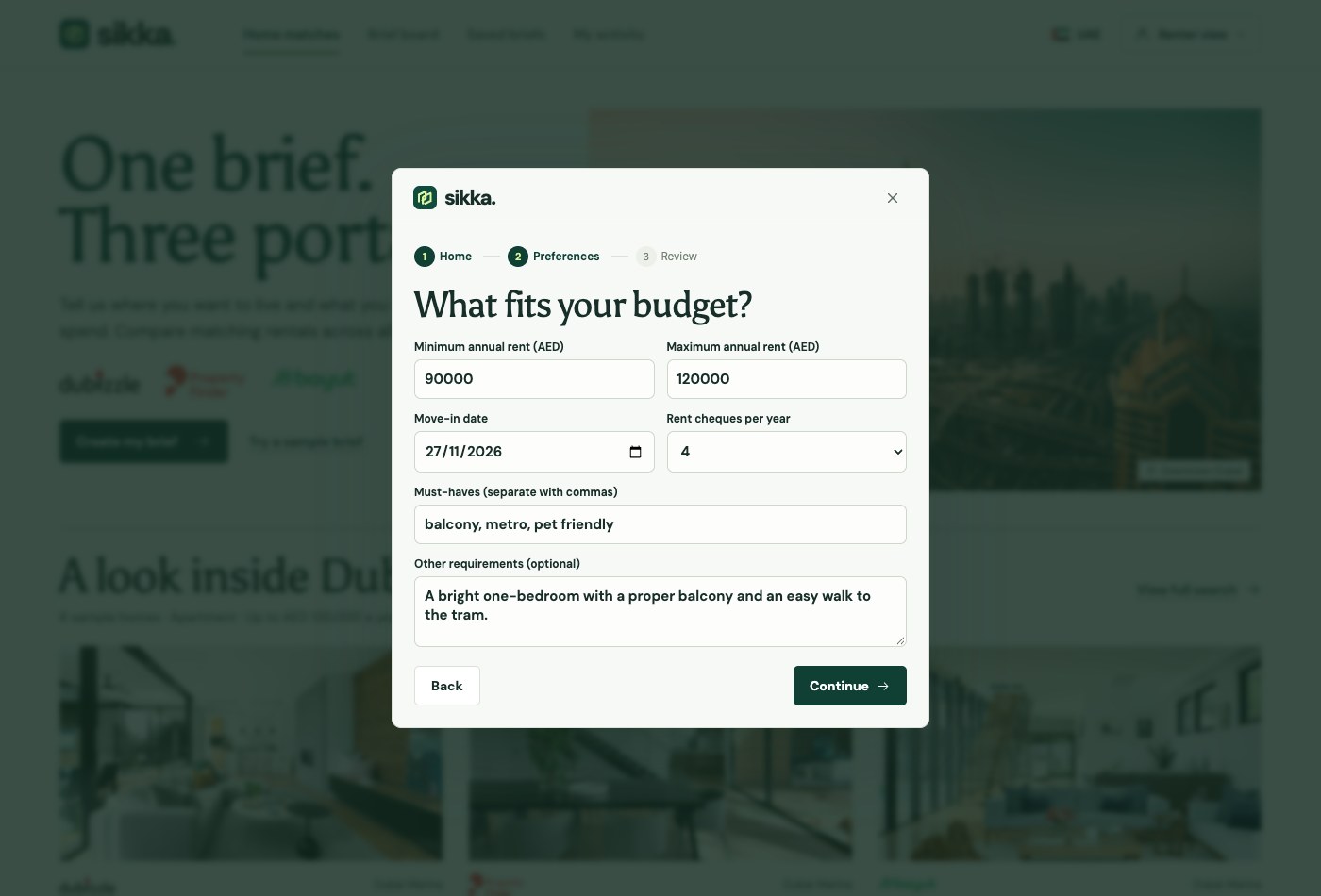
03Set your budget
Add an annual AED budget, move-in date and must-haves.
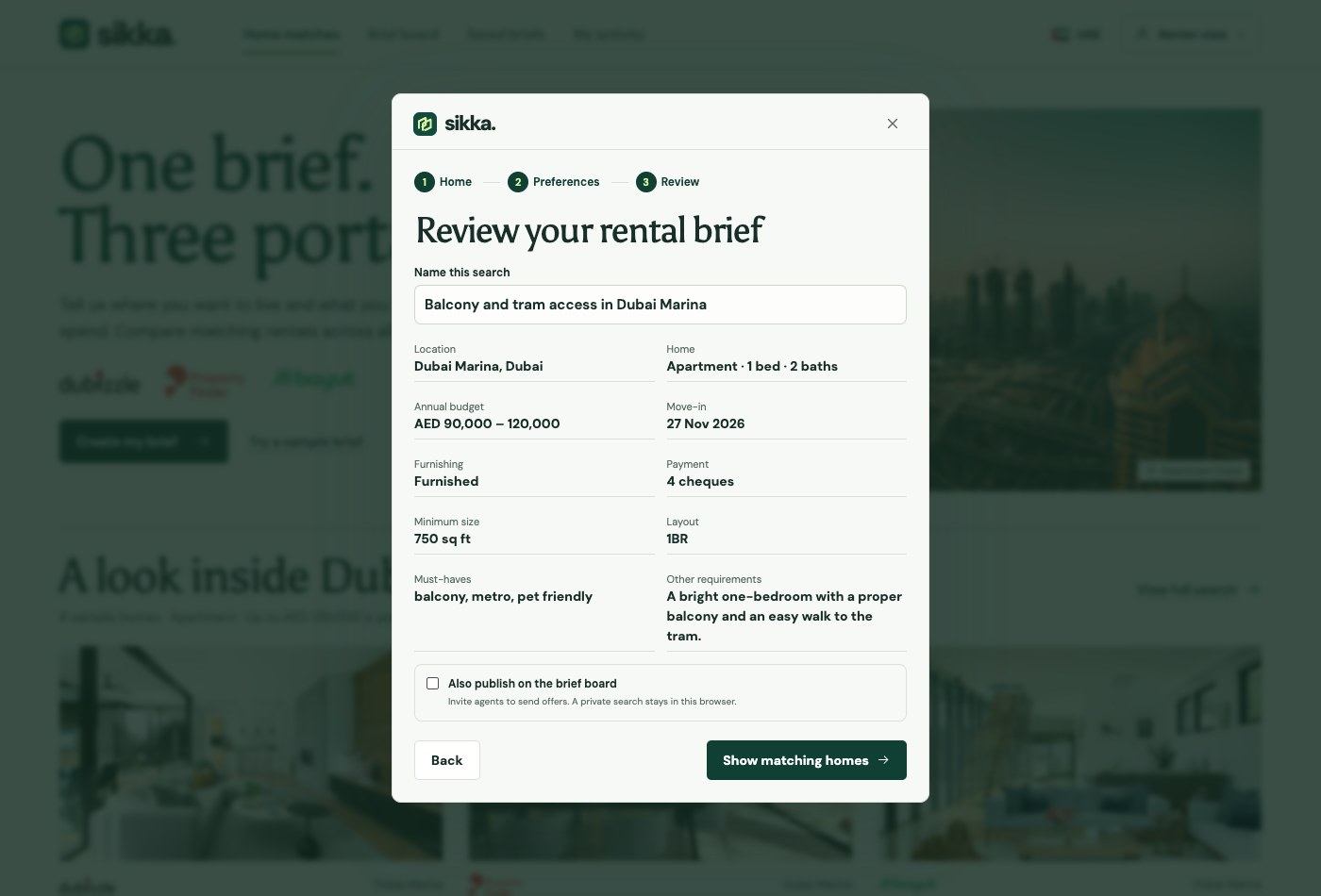
04Review the brief
Keep it private, or publish it to invite agent offers.
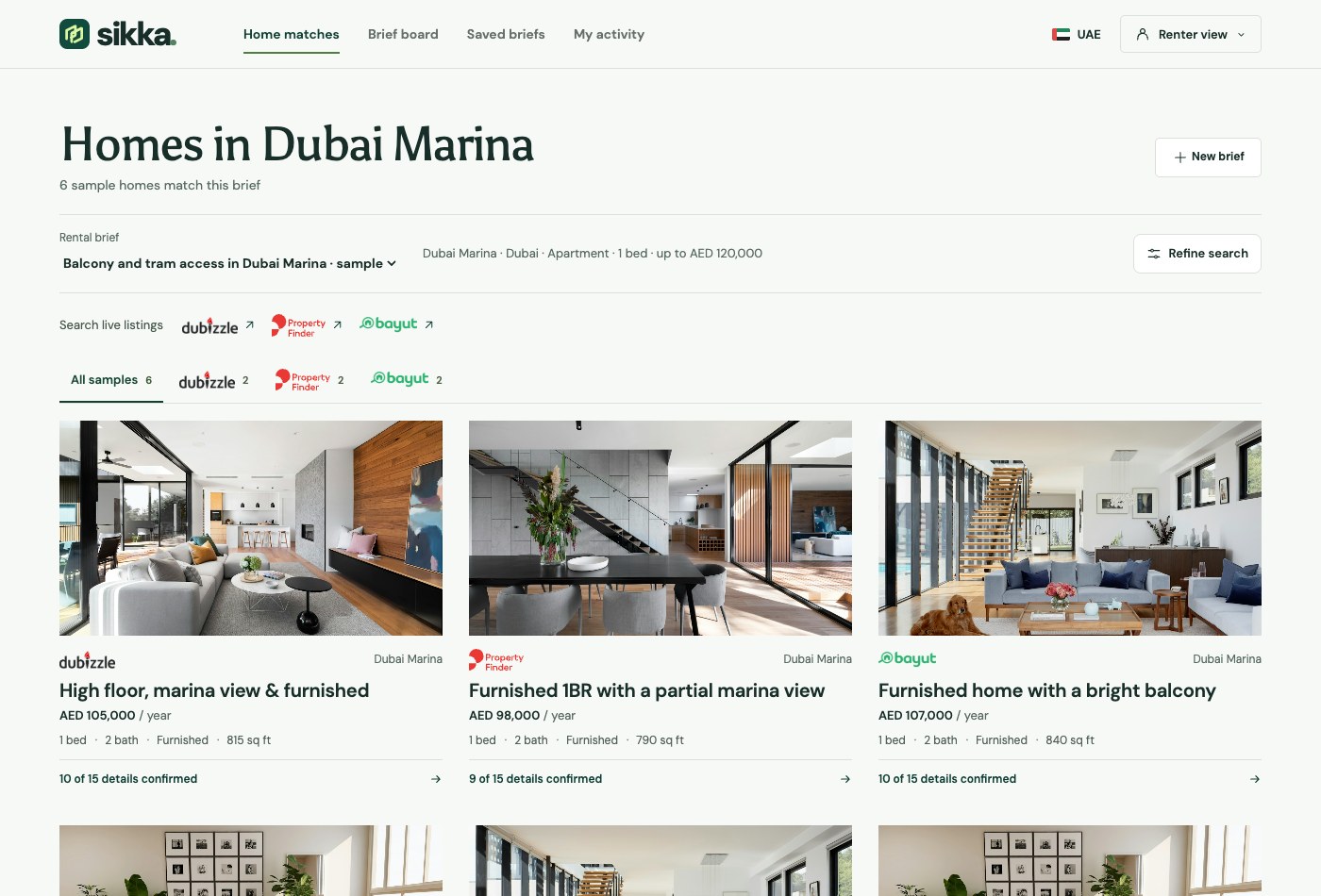
05Compare the results
See the sample homes that match across all three portals.
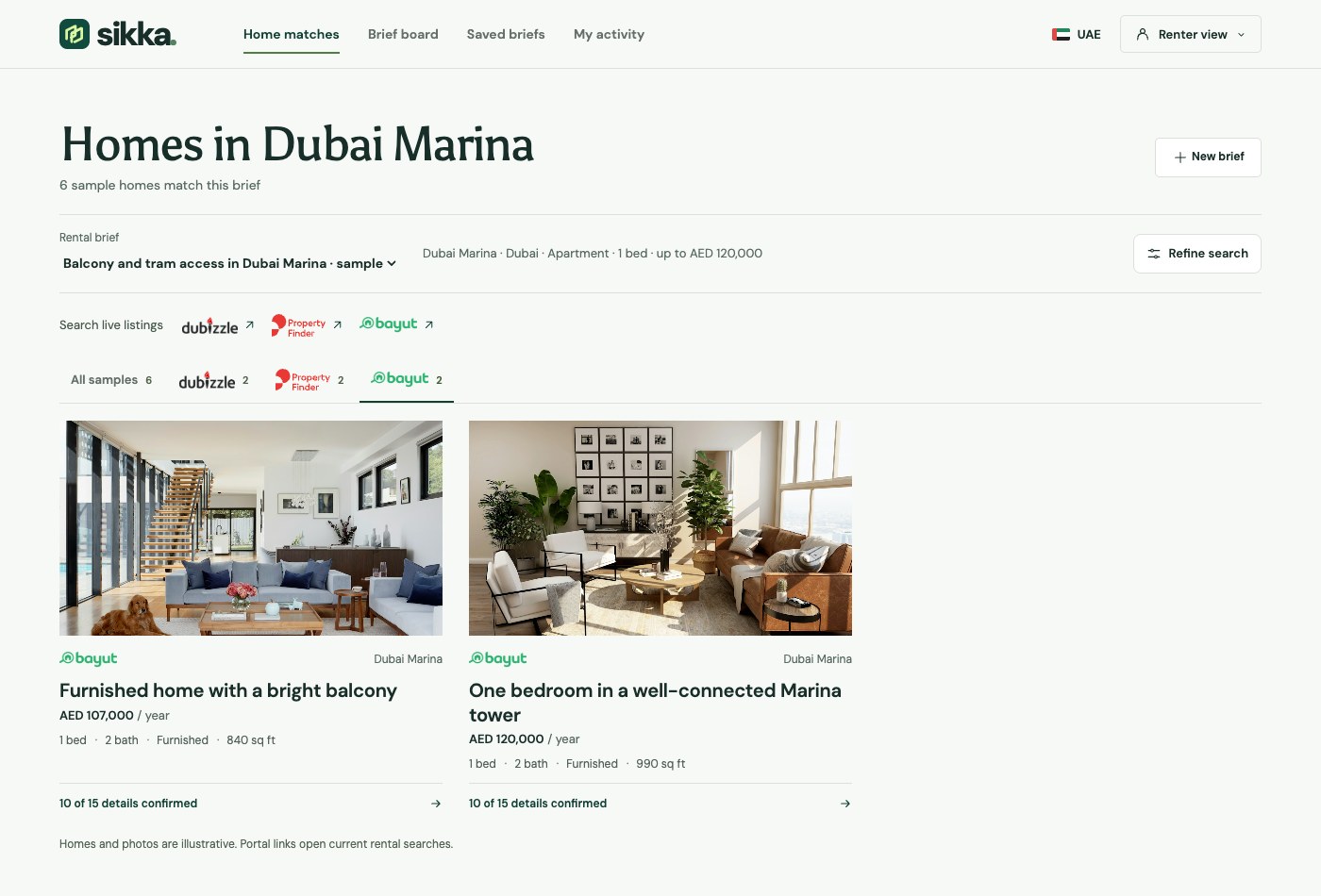
06Filter by portal
Switch sources without entering your criteria again.
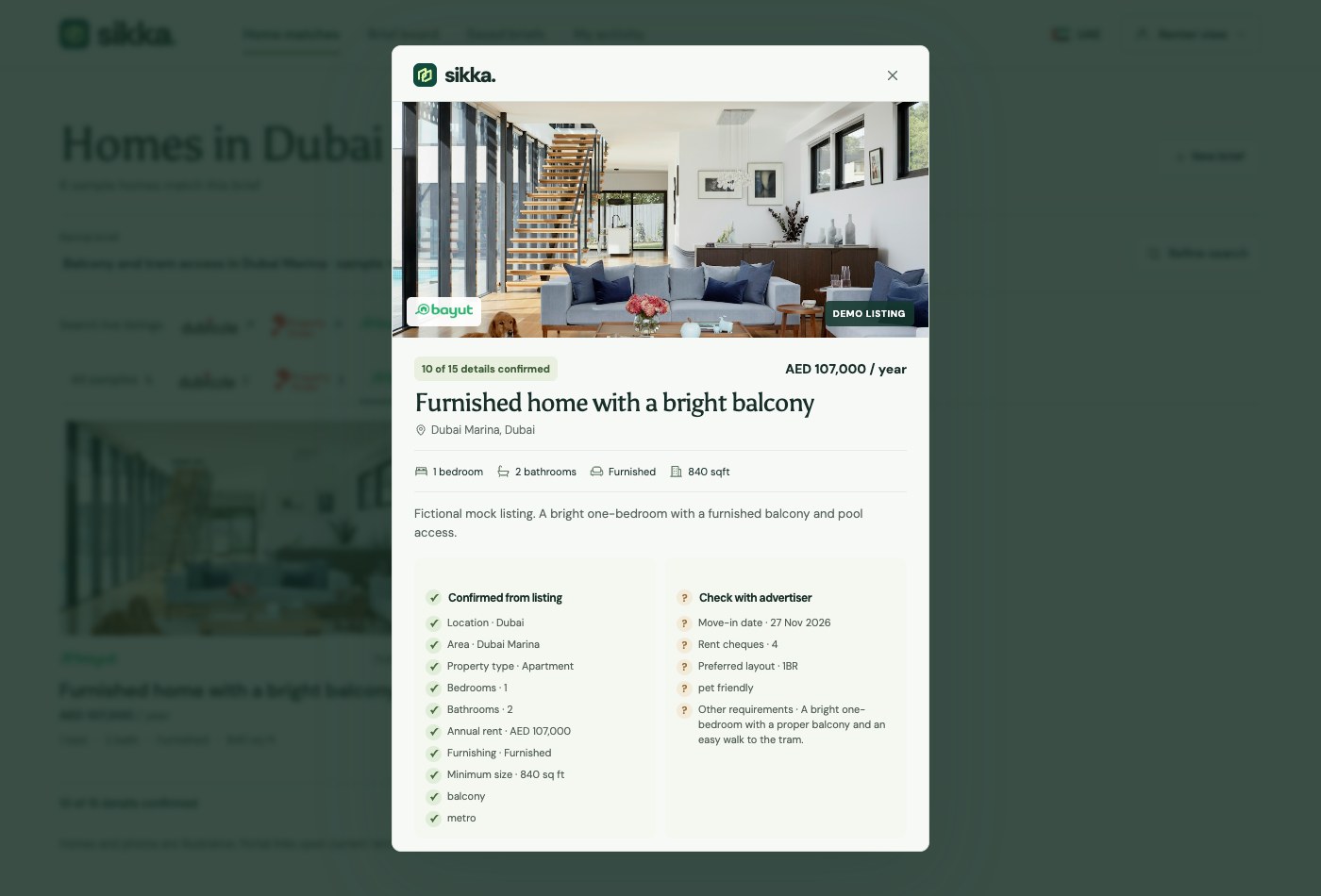
07Inspect a home
Review the rent, layout and which requirements the sample listing confirms.
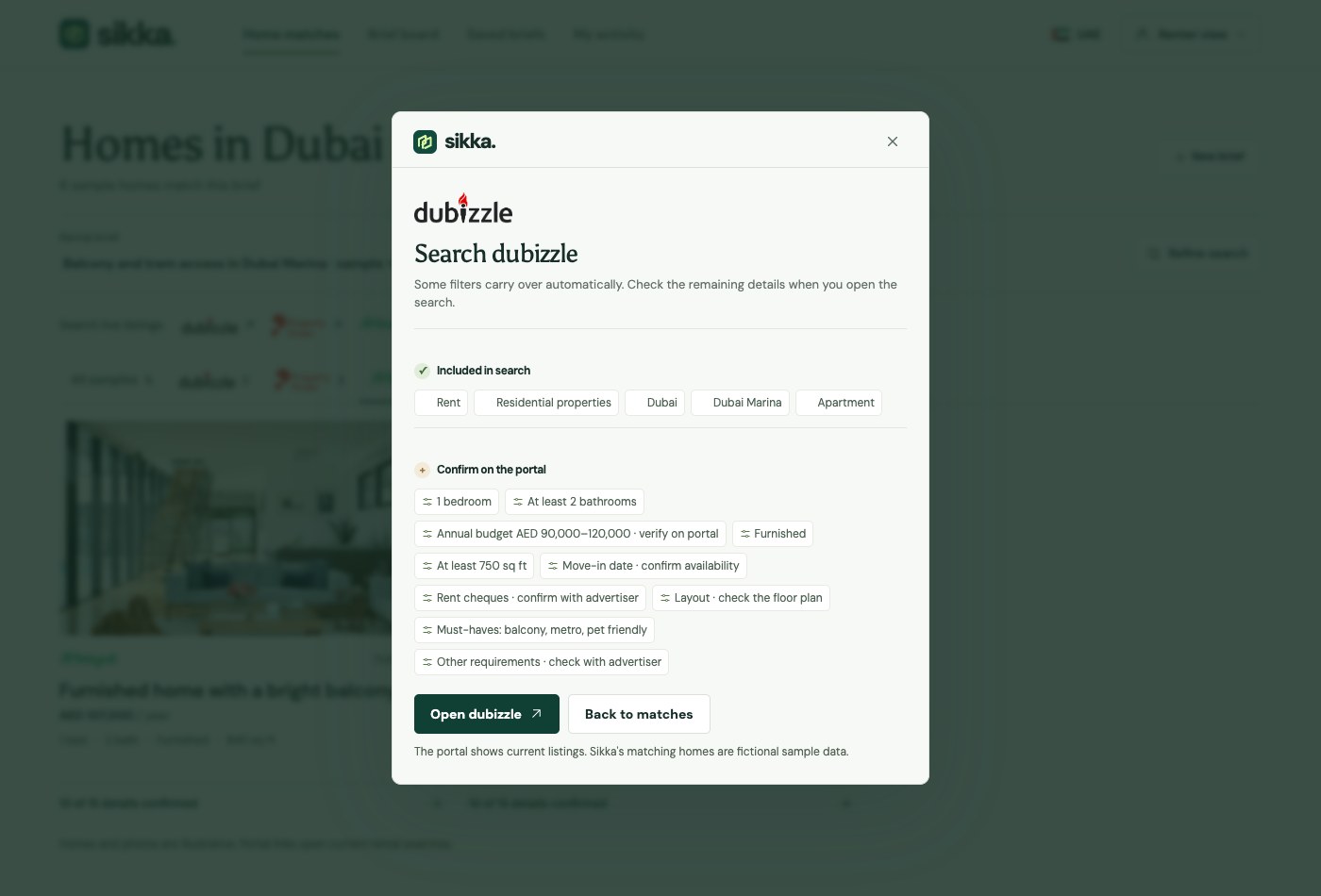
08Continue to Dubizzle
Check which filters carry over before opening Dubizzle.
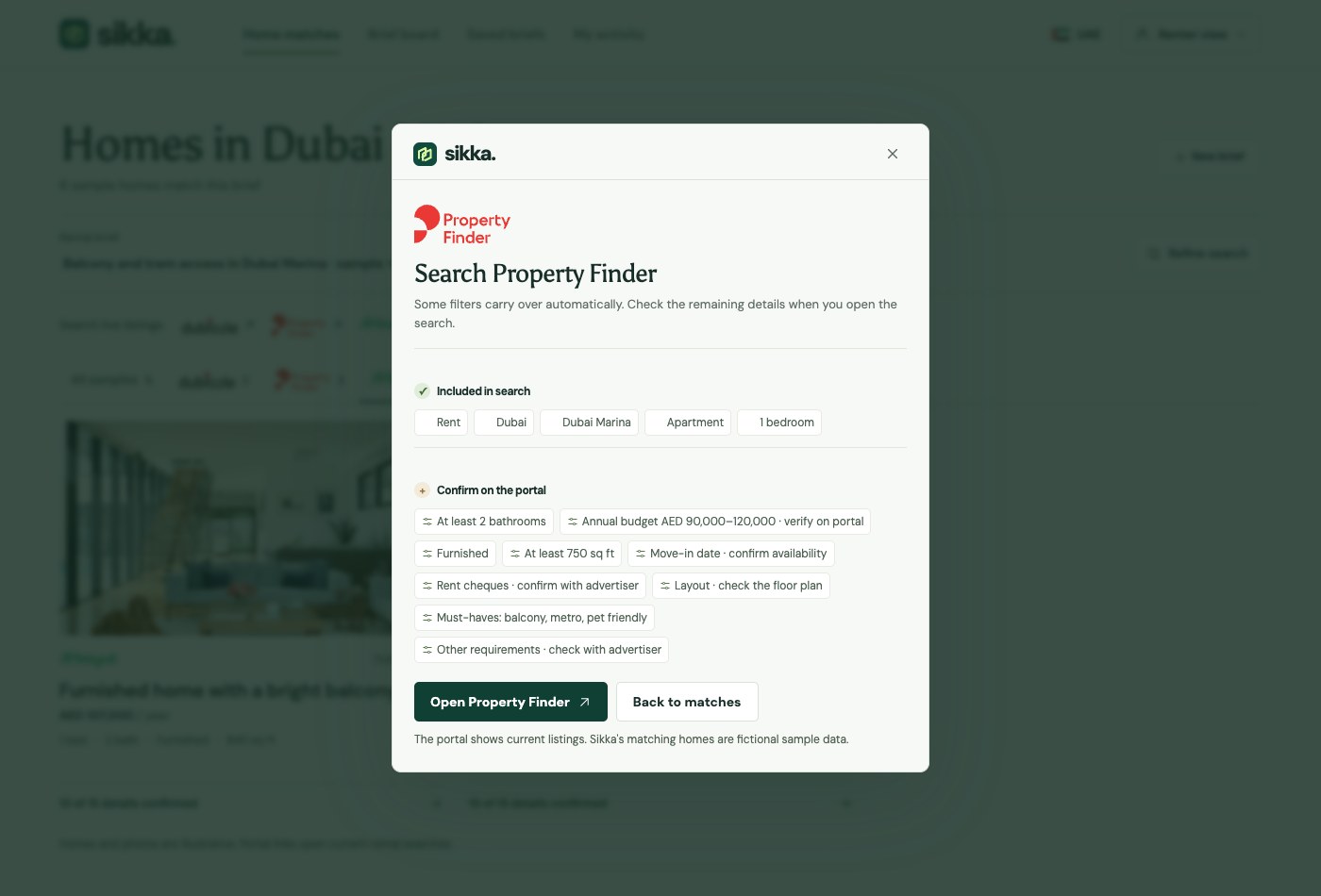
09Continue to Property Finder
Review the search settings that will go to Property Finder.
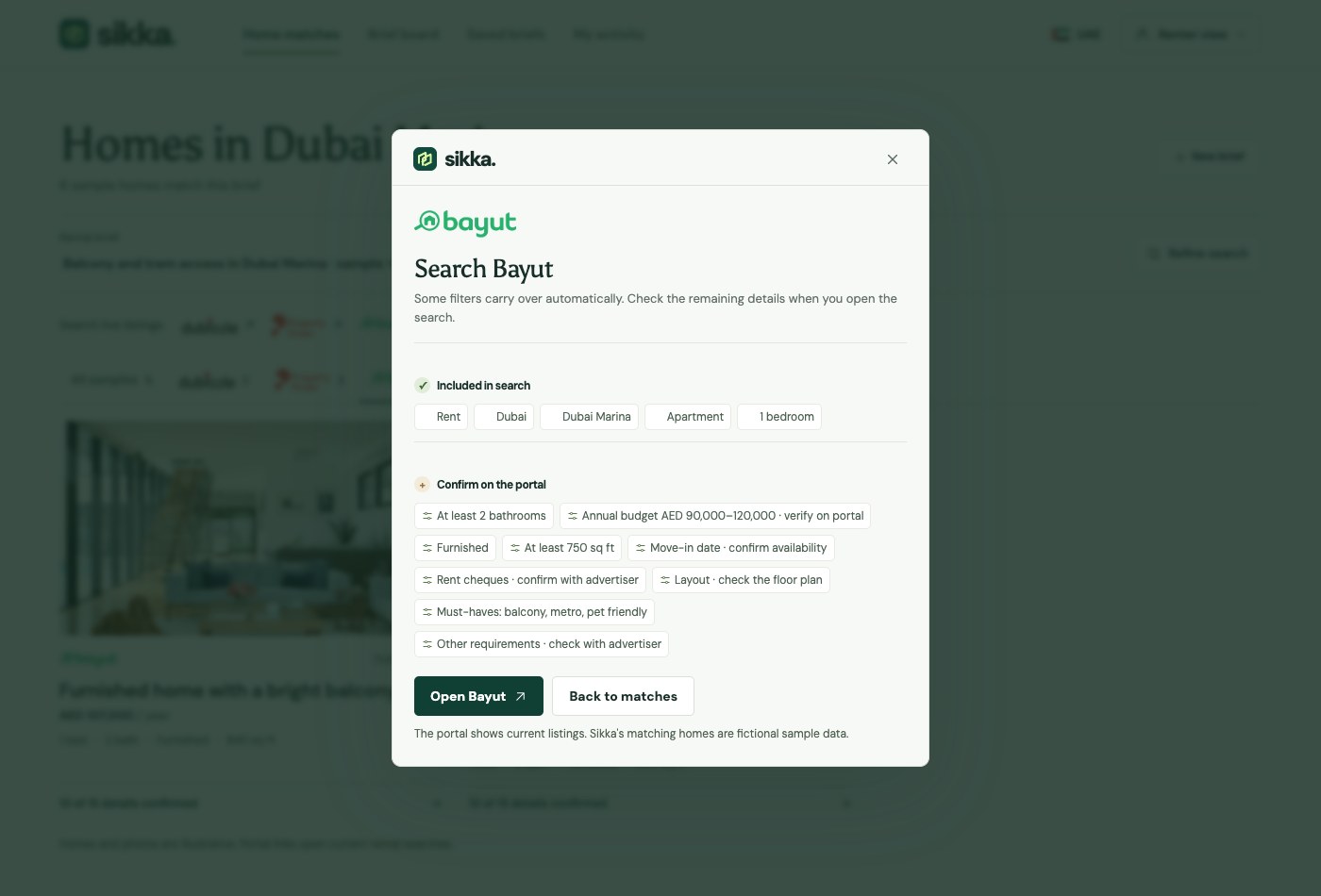
10Continue to Bayut
Review the search settings that will go to Bayut.
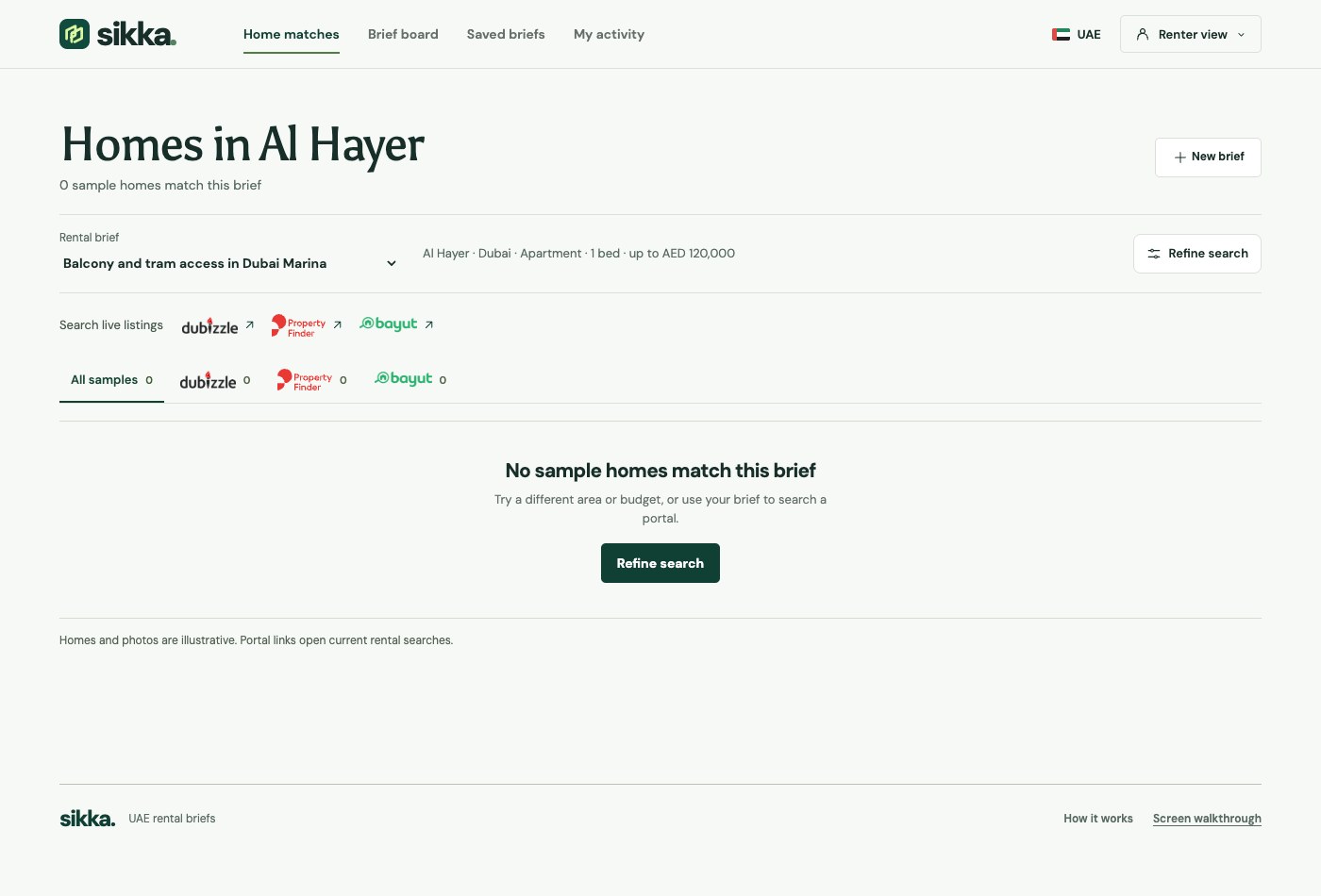
11Refine an empty search
Adjust your brief or explore current listings on a portal.
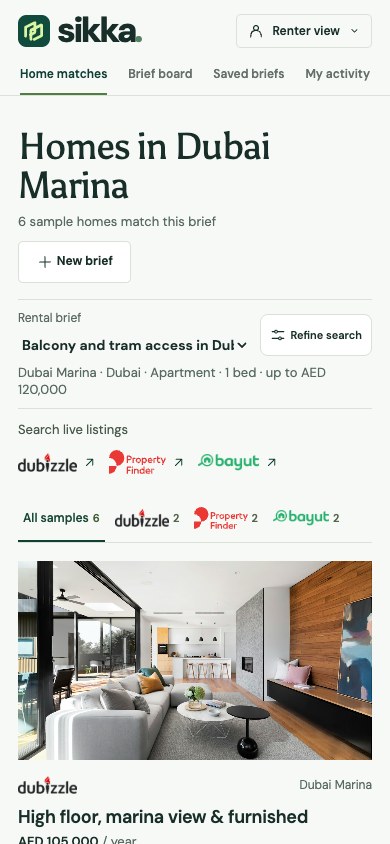
12Use it on mobile
The same brief and results fit a phone screen.